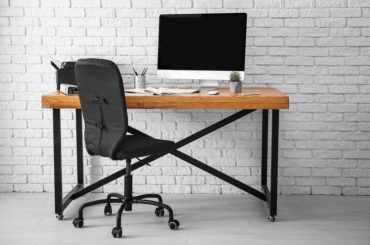
Whether you’re working from home, gaming for hours, or just tackling daily tasks, your desk setup has a major impact on your comfort, posture, and productivity. And one of the most overlooked — but most important — factors is desk height.
A desk that’s too high or too low can cause everything from neck strain to lower back pain. The good news? Finding the right height for your workspace is easier than you might think.
In this guide, you’ll learn:
- What an ergonomically correct desk setup looks like
- How to determine your ideal desk, chair, and monitor height
- How to use a reference chart to quickly assess and adjust your setup
Why Desk Height Matters
Most of us don’t think twice about the height of our desk until our backs, necks, or wrists start to ache. But the truth is, desk height plays a crucial role in your posture and even long-term health.
The right desk height allows you to maintain a neutral, relaxed posture, which supports your body’s natural alignment and reduces the risk of strain or injury.
Here’s what that really means for you:
Reduces Physical Strain
When your desk is too high or too low, your body has to compensate. You might hunch your shoulders, reach awkwardly for your keyboard, or crane your neck to see your monitor.
Over time, these micro-adjustments lead to shoulder and neck stiffness, lower back pain, wrist fatigue or even carpal tunnel symptoms
A properly set desk reduces tension on your joints and muscles, letting you work or study for longer without discomfort.
Prevents Long-Term Posture Problems
Poor posture isn’t just about slouching, it’s often the result of an improperly arranged workstation. A too-low desk can make you slouch forward; one that’s too high can cause you to shrug your shoulders all day.
When your desk height is aligned with your body, you’re more likely to sit up straight without effort and keep your spine in a natural S-curve.
Over time, this helps prevent the kinds of chronic pain and joint problems that build slowly and become hard to fix.
Boosts Focus, Energy & Comfort
Your physical comfort directly affects your mental performance. A well-aligned desk reduces distractions caused by discomfort and makes it easier to maintain energy levels.
When your workspace supports your body, it creates an environment where your mind can thrive too.
The bottom line is that whether you’re sitting or standing, the goal is always the same: align your workstation with your body, not the other way around.
Instead of adapting your posture to your furniture, make sure your desk, chair, monitor, and accessories are working for you. A few small adjustments can lead to big improvements in how you feel and function every day.
Let’s see what you should do.
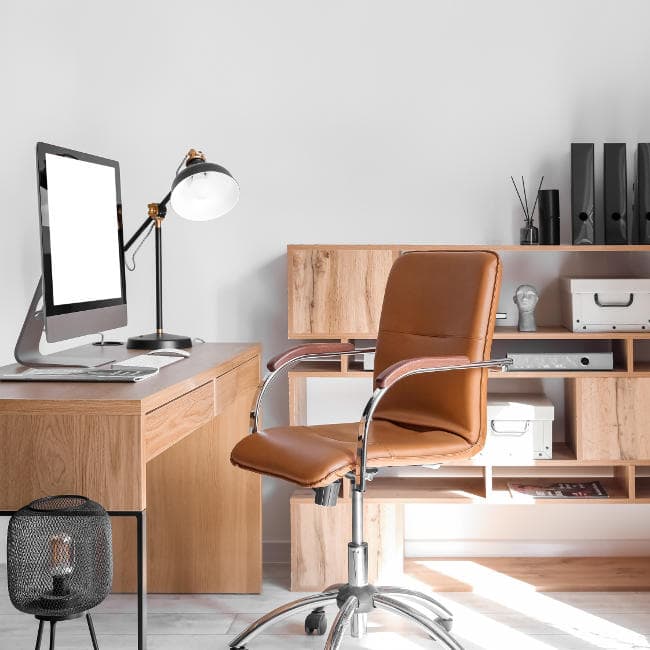
What to Aim For: Desk, Chair & Monitor Setup
Creating an ergonomic workspace isn’t just about one piece of furniture but how everything works together to support your body.
Think of your desk, chair, and monitor as a team. When each is properly adjusted, they help you maintain a posture that feels effortless, balanced, and pain-free.
Here’s how to set up each part of your workstation:
Desk Height
Your desk should support your arms and wrists without causing you to reach up or hunch forward. Here are some basic rules to follow:
- For most people, the ideal seated desk height is 28–30 inches (71–76 cm) from the floor to the top of the desk.
- When seated, your elbows should rest comfortably at a 90–100° angle as your hands reach your keyboard or desktop.
- Your forearms should be parallel to the floor, with wrists in a neutral (straight) position and not bent upward or downward.
If you find your arms are angled too high or too low, adjust your chair first. If that throws off your leg positioning, you may need a footrest or desk height adjustment.
Chair Height
A good chair sets the foundation for your posture. It should allow you to sit with your body relaxed and supported.
Aim for:
- Feet flat on the floor (or on a footrest if needed)
- Knees bent at a 90° angle, positioned at or slightly below hip level
- A chair height between 16–21 inches (41–53 cm) works for most people
Also, use a chair with lumbar support to maintain the natural curve of your lower back. And keep your hips as far back in the chair as possible so your back is fully supported.
Monitor Height
Your screen position plays a big role in preventing neck and eye strain. You shouldn’t have to tilt your head up or down to see clearly.
For an ideal setup:
- The top of the monitor should be at or just below eye level when you’re sitting upright
- Keep the screen at arm’s length, roughly 20–30 inches (50–76 cm) from your eyes
- Tilt the monitor slightly upward so the center of the screen is in your natural line of sight
If you use a laptop, invest in a separate keyboard and mouse, and raise the laptop with a stand or stack of books. This helps you avoid hunching over your screen.
The Goal: Full-Body Alignment
When everything is positioned correctly, your setup should allow you to:
- Sit with your shoulders relaxed, not shrugged or slumped
- Maintain a neutral spine, not arched or rounded
- Keep your head in line with your torso, not jutting forward or looking down
Setting up your workspace intentionally may take a bit of trial and error, but it can significantly reduce discomfort and help you stay focused longer throughout the day.
Desk Height Reference Chart (Based on User Height)
Knowing your ideal desk height is a great starting point for building an ergonomic workspace, but it’s not a one-size-fits-all formula. Your height, posture, and workstation setup all influence how your desk should be adjusted.
Use the chart below as a general guide to find the right desk height based on your height while seated. It’s especially helpful if you’re shopping for a new desk or modifying an existing one.
| Your Height | Recommended Desk Height (Seated) |
| 5’0″ (152 cm) | 24–25″ (61–63.5 cm) |
| 5’4″ (163 cm) | 25–26″ (63.5–66 cm) |
| 5’8″ (173 cm) | 27–28″ (68.5–71 cm) |
| 6’0″ (183 cm) | 28–30″ (71–76 cm) |
| 6’4″ (193 cm) | 30–31″ (76–78.5 cm) |
Remember, this chart is a helpful benchmark, but it’s not a hard rule. If something feels off, even if it’s technically “correct”, adjust it. Use the numbers as a starting point, then fine-tune based on your body and setup.
Quick Tips to Dial In Your Setup
Once you know your ideal desk and chair height, the final step is dialing everything in so it feels just right. Here are a few smart tweaks to help fine-tune your setup:
Use an Adjustable Chair
Your chair height affects everything. Instead of adjusting your desk, which can be tricky or expensive, start by adjusting your chair to meet the desk.
If raising your chair makes your feet dangle, pair it with a footrest (or a stack of books) to maintain full leg support.
Add a Footrest If Needed
Your feet should rest flat and firmly on the floor (or a supportive surface). If they don’t, you’re likely to shift or perch awkwardly, leading to strain in your hips, back, or legs.
A footrest helps:
- Promote circulation
- Keep knees at the right angle
- Reduce pressure on the lower back
As a bonus, it also encourages better posture and less fidgeting during long work sessions.
Adjust Your Desk Height if Needed
If your desk height isn’t within your ideal range, don’t settle — adjust it to work for you.
- If your desk is too low, consider adding furniture risers, leg levelers, or a tabletop stand.
- If your desk is too high, raise your chair and use a footrest to keep your legs properly supported and feet flat on the floor.
These simple tweaks can drastically improve your posture without needing to replace your desk.
Use a Monitor Riser or Laptop Stand
If your monitor or laptop is too low, you’ll instinctively tilt your head down. A monitor riser or laptop stand lifts your screen to eye level, keeping your head in a neutral position.
Look for options that:
- Raise the screen so the top edge is at or just below eye level
- Maintain a 20–30 inch viewing distance from your face
- Allow for external keyboard and mouse use (especially with laptops)
Don’t Overlook Your Keyboard and Mouse
Even with the perfect desk height, an awkward keyboard or mouse placement can ruin your posture.
Keep both tools:
- Close to your body, so your elbows stay tucked at your sides
- At elbow height, so your forearms remain parallel to the floor
- Aligned to avoid twisting your wrists or reaching sideways
Finally, if you’re experiencing wrist or shoulder discomfort, consider an ergonomic keyboard or a vertical mouse.
The Right Height Makes All the Difference
Getting your desk height right isn’t just about comfort but also protecting your posture, improving your focus, and feeling better throughout the day.
Whether you’re adjusting your current setup or shopping for a new one, use your height, posture, and personal preferences as a guide, not just the numbers provided in this article.
A few simple changes to your desk, chair, or monitor position can transform the way you work. When your workspace works with your body, everything else — from your productivity to your long-term health — gets a boost.
So don’t settle for discomfort. Take the time to dial in your setup, and your body (and brain) will thank you.